OAK!Merge 21.1.1 for Act! v21 was released 11/26/18
Release Notes Summary
Enhancements included in OAK!Merge for Act! 21.1.1
Supports Act! v21 and earlier
Added a Filtered Export where ANY group name can be used to filter which contacts or only the notes/histories, activities of those contacts are exported. It no longer must be "OAKMerge_Export". “OAKMerge_Export" still works as before: it will be used if it exists and contains at least one contact. “OAKMerge_Export" do...
Read More
Enhancements included in OAK!Merge for Act! 20.1.2
OAK!Merge 20.1.2 for Act! was released 3/5/18
Release Notes Summary
Enhancements included in OAK!Merge for Act! 20.1.2
Adds back support for XLS files. Includes new drivers to support XLS and XLSX files. There was a change in Microsoft updates that caused these to stop working. The new OAK!Merge drivers were rewritten for direct access of the files. Microsoft drivers are no longer required to access Excel files. Ther is a new XLS_XLSX_XLSM choice in the source menu.
Added n...
Read More
Use Case: How to restore history or notes from an Act! Backup
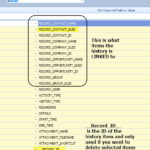
Is some history or notes missing from ACT! ??? Do you need to restore history from an old ACT! Backup? OAK!Merge for Act! Standard and above can do this. Don’t use ACT to ACT for history or notes merges. Do and EXPORT of ACT to CSV, then an IMPORT of CSV into ACT. This will extract it from the old database and import it into the newer one. You need to do a "Restore As" to restore the backup so you can open it in Act!.
When you use OAK!Merge on a ACT database; you can export the ...
Read More
Enhancements included in OAK!Merge for Act! 20.1.1
OAK!Merge for Act! 20.1.1 was released 1/7/18
Release Notes Summary
Enhancements included in OAK!Merge for Act! 20.1.1
Increased speed for creating contacts. Standard benchmark tests showed creating 100,000 contacts in an empty database took 22 Min. It then took 5 min 30 sec to find and update one field in all 100,000.
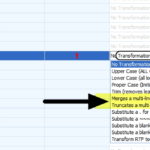
Added a new transformation “Merge Multi-line text into a single line”. This removes carriage returns and line feed characters (CR/LF) from text in a ...
Read More
XLS Error while connecting to an import source or XLSX missing
XLS ERROR from OAK!Merge: Error while connecting to an import source. Unexpected error from external database driver(1).
This Error is a new issue caused by a security update by Microsoft. Microsoft is blocking the use of XLS files. They were last used in 2003. The current format is XLSX files, and they work. We are writing a new OAK!Merge driver for XLS, XLSX, and XLSM which will be released in Jan 2018 for v20 of OAK!Merge. v19 and earlier will no longer support XLS files d...
Read More
Enhancements included in OAK!Merge for Act! 20.1.0
OAK!Merge for Act! 20.1.0 was released 10/31/17
Release Notes Summary
Enhancements included in OAK!Merge for Act! 20.1.0
Works with v20 of ACT!
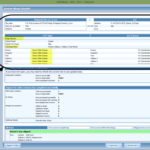
Added new Merge Options panel to display matching and mapping options used in the merge on the results page.
Added a Progress Bar at final merge step to replace elapsed time on Writing data to the target. The total elapsed time is still displayed.
Added support for elapsed time to include days, if a process goes past 24 hours.
Read More
Enhancements included in OAK!Merge 19.1.3
OAK!Merge 19.1.3 for Act! was released 9/20/17
Release Notes Summary
Enhancements included in OAK!Merge 19.1.3
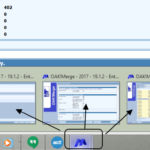
Added support to run multiple instances of OAK!Merge at the same time ( see word doc
for screen shots) Advanced Tip: You can run multiple instances of OAK!Merge at the
same time. Just start additional sessions as needed. Each runs independently and can
be using the same or different databases. This is great for testing while a large
production merge is running.
To run mu...
Read More
Enhancements included in OAK!Merge 19.1.2
OAK!Merge 19.1.2 for Act! was released 3/11/17
Release Notes Summary
Enhancements included in OAK!Merge 19.1.2
1. Update to Salesforce Data Migration Kit. Added advanced logging and support for Salesforce Support Cases. Improved mappings and avoids importing deleted records from Salesforce backup into Act! Steps in the main merge stage increased to 35.
2. Fixed Defect that stopped Activites from being added in Verision 19.1.1
Read More
Enhancements included in OAK!Merge 19.1.1
OAK!Merge 19.1.1 for Act! was released 1/4/17
Release Notes Summary
Enhancements included in OAK!Merge 19.1.1
1. Support for v19 of Act! Pro, Premium, Cloud, and Web versions.
2. Added Beta support for the Act! WEB API connection and Act! Connect. Import New records,
Edit/Update, or Delete info in supported tables. This is new technology for Swiftpage and load
testing has exposed errors and other issues for larger files. Test your configuration before
using in production.
Suppo...
Read More
OAK!Merge 18.2.1
Enhancements included in OAK!Merge 18.2.1
Supports Importing and Exporting Act! Essentials Cloud Activities and Groups. (Contacts were previously added in ver 18.1.1)
User Interface (UI) enhancements such as new wording on the manual activation screens to add text for Step 1 and Step 2
Improved history imports of the task file from Salesforce in the OAK!Merge Enterprise Salesforce Data Migration kit. This package imports info from a Salesforce backup ZIP into Act! including Attach...
Read More