


Import, Export, Add, Delete, or Update Data in Act!

If you just need a one-time export of Act! notes or history, then contact us for a quote to do it for you as a service.
Typical uses of OAK!Merge include:
- Export Act’s Notes in plain text with links to the parent records.
- Add, Update, Skip or Delete records from any of Act!’s “updateable” tables: Contact, Group, Company, Product, Custom tables, Uses, or Opportunity. Match on one or more fields, if updating is desired. Field by Field control.
- Use with all your! databases to import or update data for applications such as importing sales info into Act!, matching on customer number, update sales territory matching on zip codes, import trade show, or web leads, data migration or clean up projects, etc.
- Export all the records with linking names and Record IDs (GUIDs) for Contacts, Companies, Groups, Opportunities, History, Notes, Activities, Products, users, and custom tables.
- Append data to Notes, History or Activities tables and link them to Contacts, Companies, Opportunities, or Groups
- Add Secondary Contacts and link to the primary contact
- Help repair damaged Act! databases by copying good data from one Act! database to another
- Updates ONLY the Act! fields you specify. All other Act! data remains unchanged
- Update ONLY fields that are blank or ONLY fields that have data
- Load and Extract info from Act! Cloud databases, while Hosted, and Act! Essentials via the Act! Web API.
- Allows constants or transformations (Trim, Case, or Blank) to be done as part of mapping the data
- Adds Contacts to be members of static groups
- Adds Companies as a Division of a parent Company OR Adds a Sub Group to a Parent Group
- Exports the Group memberships of contacts and opportunities. Includes static and dynamic memberships
- Provides “mapping” to define which field(s) to update and which field to match on; maps can be saved & reused later. Profiles include mappings
- Profiles also allow saving Source files and Target files as well as the mapping
- Salesforce Data Migration Kit converts a salesforce.com database backup into an Act! database.
- Use with unlimited number of Act! databases
- Run OAK!Merge from a scheduler in unattended batch mode or from a button/link.

OAK!Merge v25 is 64 bit and only works with Act! v24, v25, or v26. OAK!Merge v23 still handles previous 32-bit versions of Act!
Download the software, including a free trial that will process up to 10 sample records per merge. The PDF manual is in the software installed or can be downloaded here. The licensing is subscription-based and will auto renew annually until canceled, Click here to read more about OAK!Merge for Act!
OAK!MergeTM for Act! Demo
Act! Version Roadmap
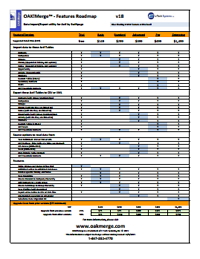
The Version charts are one page PDFs of a chart that compares the capabilities in each level of the products
Act! Roadmap


About OAK!Merge
OAK!Merge is owned and supported by e Tech Systems, Inc.
e Tech Systems, Inc was founded in 1988 by Alan Lee and has been active in the sales automation field since then. e Tech develops custom and packaged add on products for a variety of CRM, Sales, and Marketing systems.

Comments are closed.